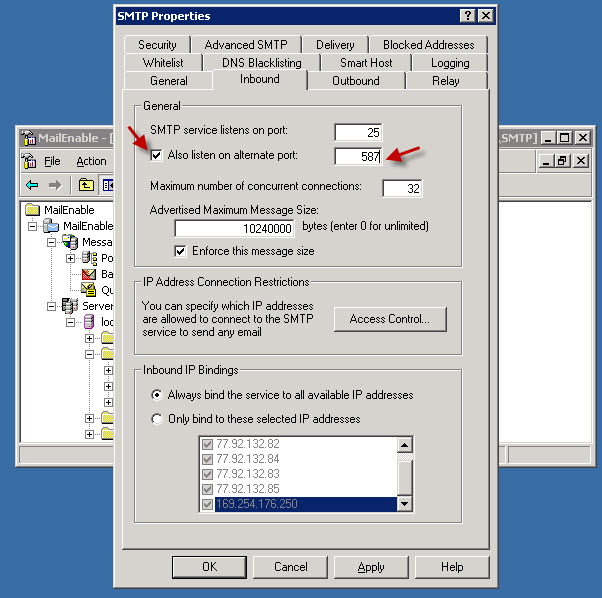
If you use the MailEnable mail server that comes by default with Plesk for Windows, you will see that the message submission option described in our Plesk for Linux article is disabled. To enable port 587 in MailEnable, follow these steps.
First, connect to the server via Remote Desktop.
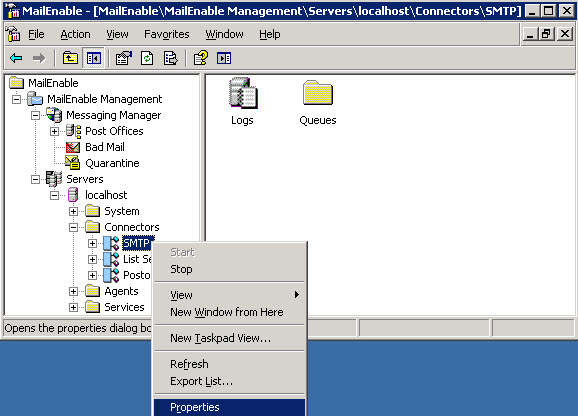
1- MailEnable Administrator application. In the left menu, right-click Server > localhost > Connectors > SMTP and open Properties.
2- In the window that opens, go to the Inbound tab, check Also listen on alternative port and enter 587 in the port field. Apply and OK to confirm.