Thunderbird Mail Account Setup
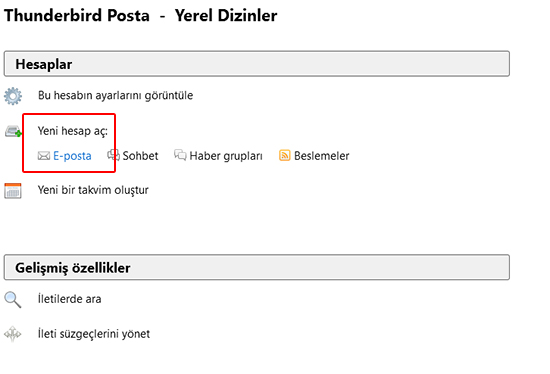
2- On the screen that appears when you first start it, click New Account > Email > .
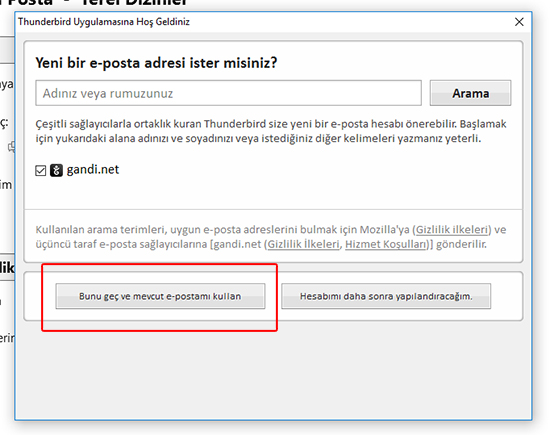
3- In the window that opens, click Skip this and use my existing email .
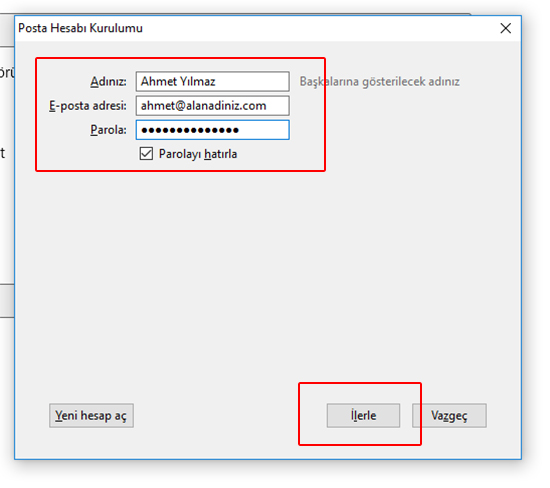
4- Fill in the information in the window that opens.
- The personal (or company) name you want recipients to see.
- Your full email address.
- Your password.
When you have filled everything in, click Continue.
- The personal (or company) name you want recipients to see.
- Your full email address.
- Your password.
When you have filled everything in, click Continue.
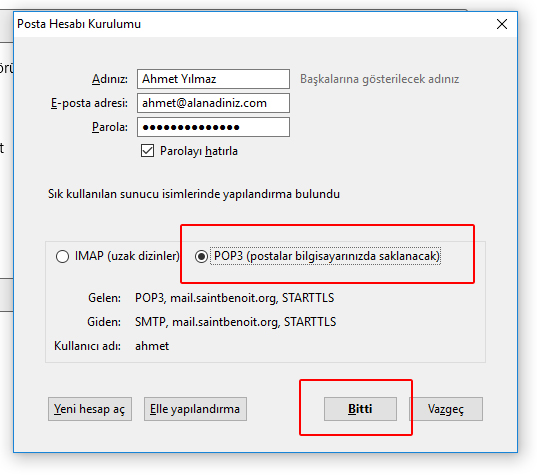
5- In the window that opens, select POP3.
Done: when you click it and everything is correct, your email address is set up.
Done: when you click it and everything is correct, your email address is set up.