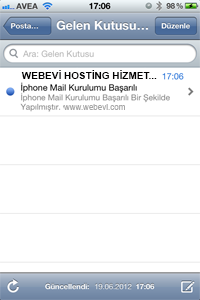
WEBEVI IPHONE MAIL SETTINGS
iPhone Mail Settings
1- Tap Settings.
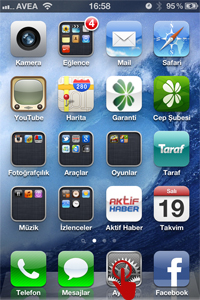
2- Go to the Mail > Contacts > Calendars menu.
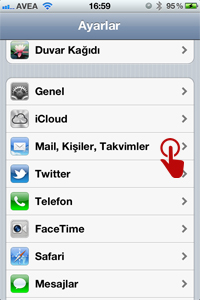
3- Select Add Account.
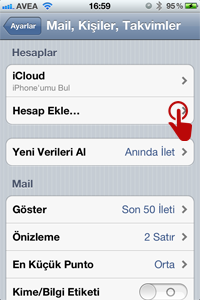
4- Select Other.
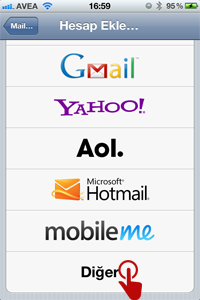
5- Select Add Mail Account.
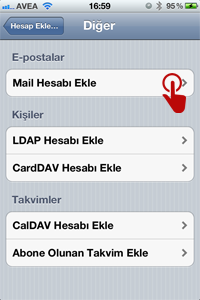
6- Enter your email account details.
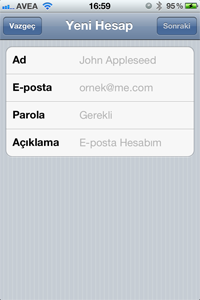
7-
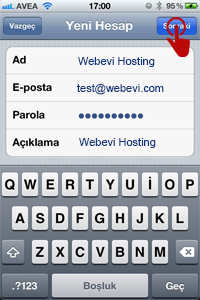
8- Tap POP here and fill in the fields below with your own details, as in the example.
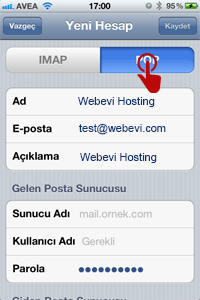
9- After filling in the fields with your own details as in the example, tap Save in the top right corner.
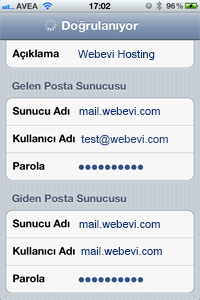
10- Depending on your phone and Internet connection, verification takes 1-3 minutes. Please do not leave this screen until it is complete.
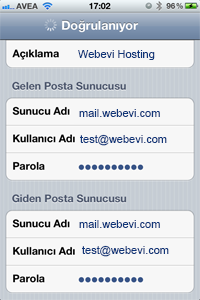
11- When verification is complete, you will see that your mail account has been set up.
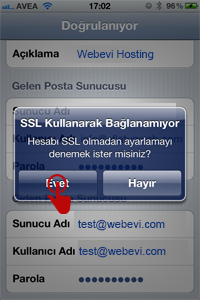
12- Your mail account setup is complete.