Connecting to FTP with FILEZILLA
1- First, you need to get the FileZilla program.
https://filezilla-project.org/download.php?type=client You can download the latest version of FileZilla from this address.
https://filezilla-project.org/download.php?type=client You can download the latest version of FileZilla from this address.
2- Install the program on your computer by clicking the downloaded EXE file and confirming each step.
3- File > Site Manager > : open these options to get the screen below.
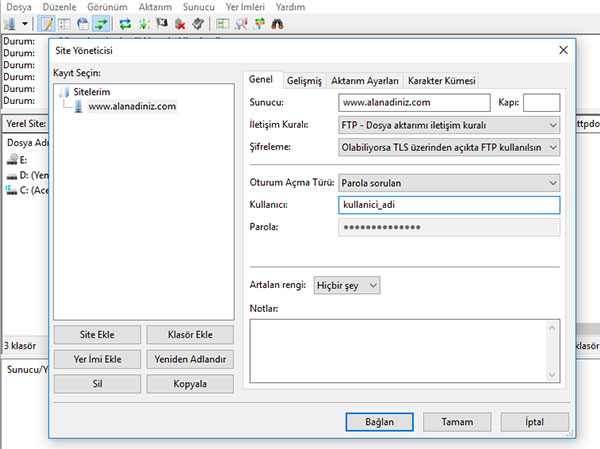
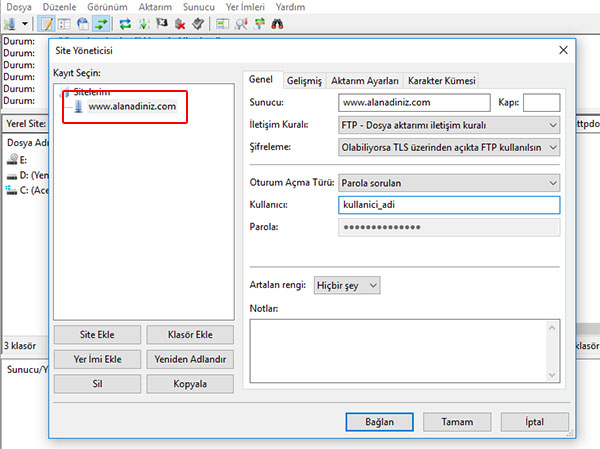
4- Enter your domain name in the marked field.
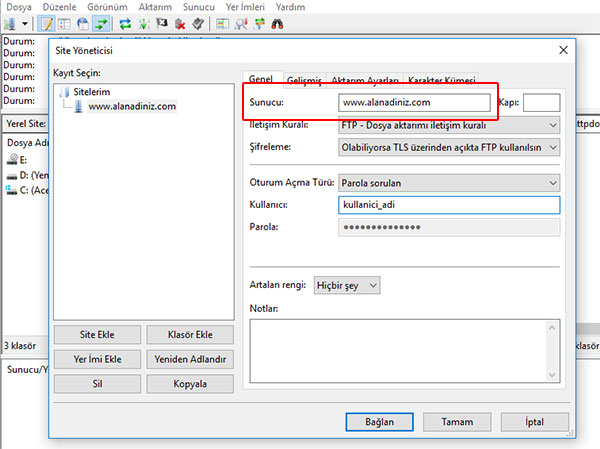
5- In the Host field, enter your domain name or IP address.
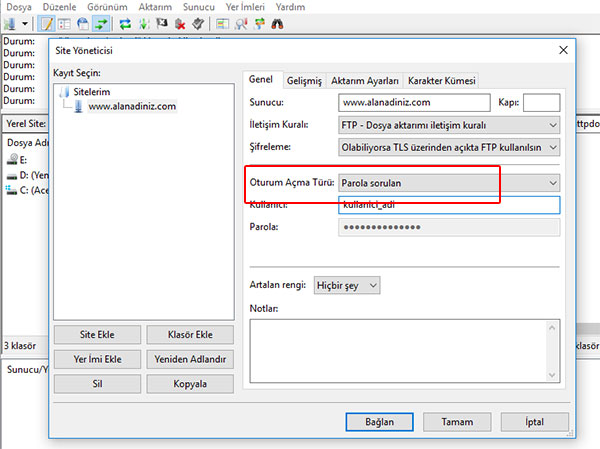
6- Set the Logon Type to Ask for password.
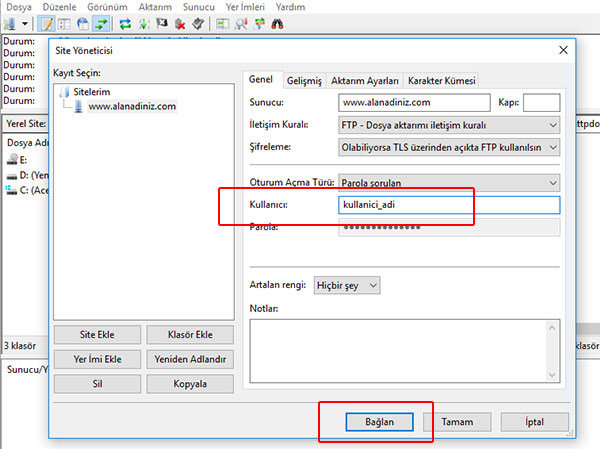
7- In the User field, enter your user name and click Connect.
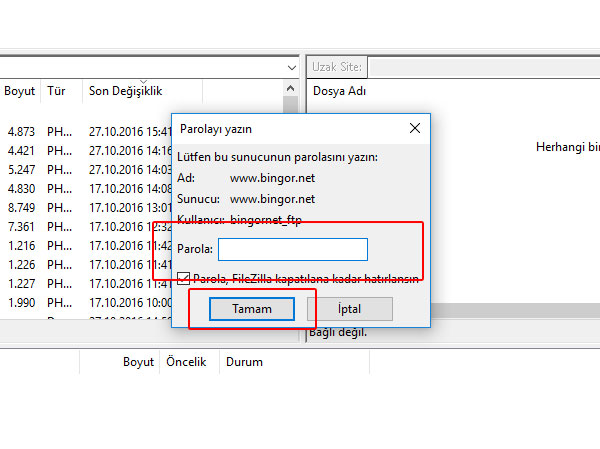
8- In the new window, enter your password and click OK.
If all the information has been entered completely and correctly, you should now see your hosting space.
If all the information has been entered completely and correctly, you should now see your hosting space.