Windows Live Mail Account Setup
1- First, you need to get the Windows Live Mail program.
https://support.microsoft.com/en-us/help/17779/download-windows-essentials It is included in the current Windows Essentials package, which you can download from this address.
As Microsoft keeps updating it, this address may change. You can find the latest version by searching on Google.
https://support.microsoft.com/en-us/help/17779/download-windows-essentials It is included in the current Windows Essentials package, which you can download from this address.
As Microsoft keeps updating it, this address may change. You can find the latest version by searching on Google.
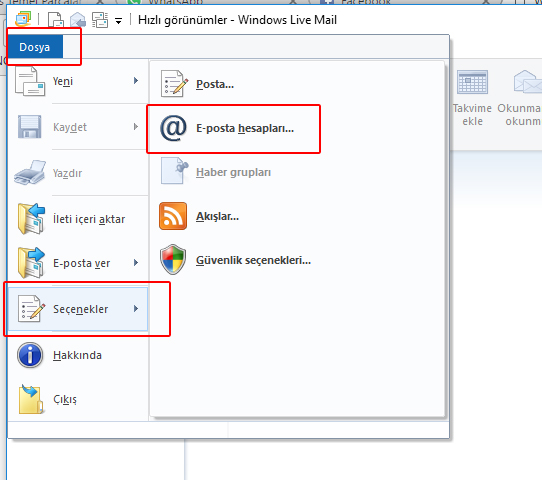
2- After starting the program, go to File > Options > Email Accounts....
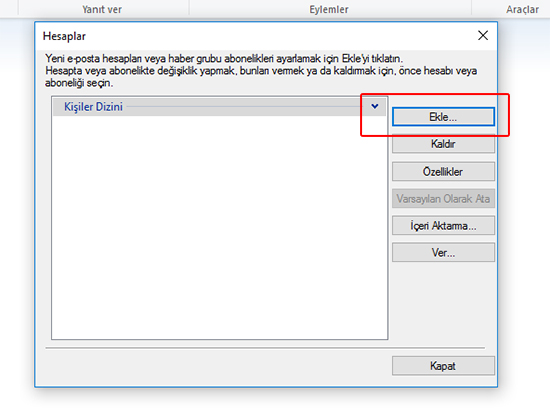
3- In the new window, click the Add button.
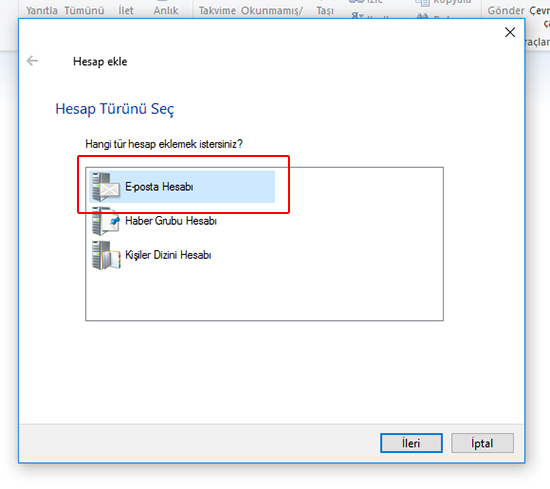
4- In the next window, click Email account.
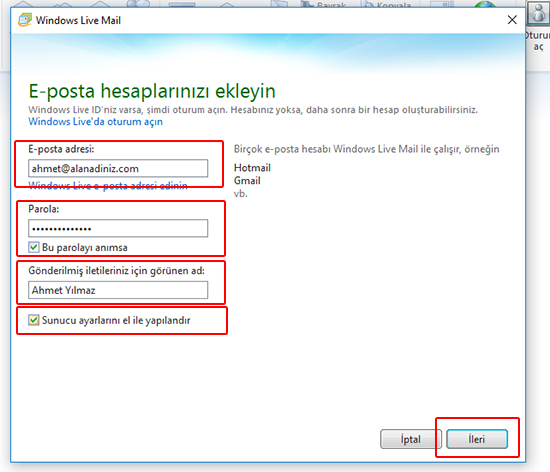
5- In the window that opens, do the following in order:
- Enter your full email address.
- Enter your password.
- Enter the name (or company name) you want recipients to see.
- Manually configure server settings: click this option.
- Next: click this button.
- Enter your full email address.
- Enter your password.
- Enter the name (or company name) you want recipients to see.
- Manually configure server settings: click this option.
- Next: click this button.
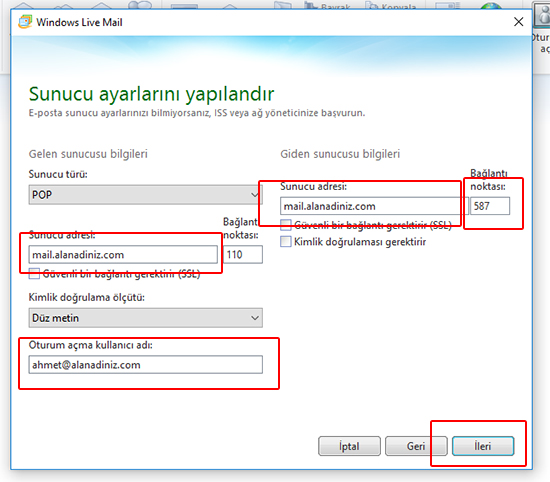
6- In the window that opens, do the following in order:
- For the incoming and outgoing server addresses, enter mail.yourdomain.com.
- In the field, enter 587. (The default is 25.)
- In the User name field, enter your full email address.
- Next: click this button.
- For the incoming and outgoing server addresses, enter mail.yourdomain.com.
- In the field, enter 587. (The default is 25.)
- In the User name field, enter your full email address.
- Next: click this button.
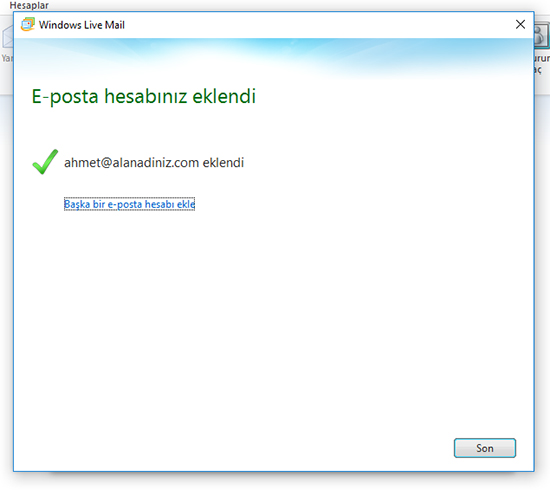
7- In the window that opens, click Finish.
A few more steps...
A few more steps...
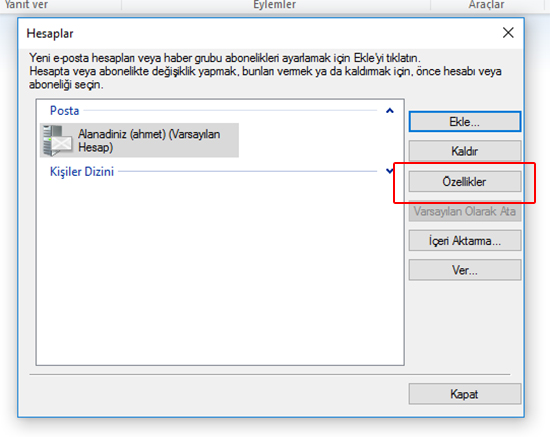
8- After the step above, the popup will close and you will see the screen below again.
- Properties: click this option.
- Properties: click this option.
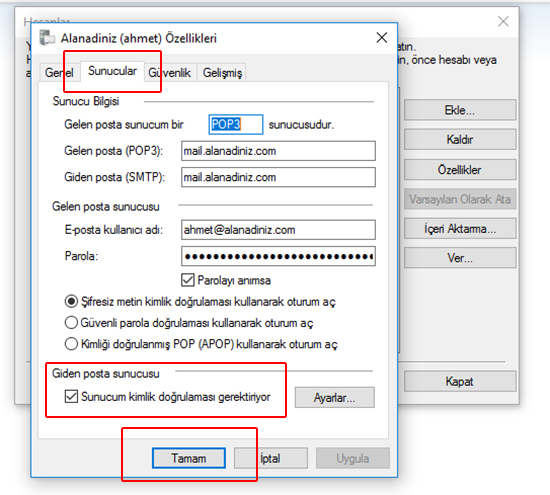
9- In the window that opens, click the Servers tab and then tick My server requires authentication.
OK: click this button.
After closing all open windows, your email account is set up.
OK: click this button.
After closing all open windows, your email account is set up.